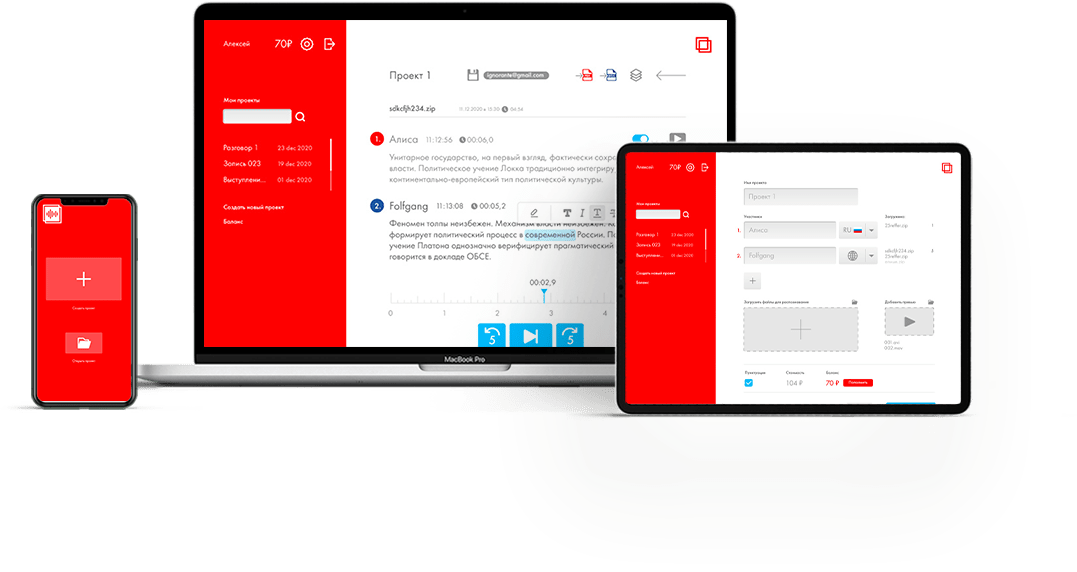
Stenogram On-Premise

For those who prioritize privacy

безопасно и конфиденциально
Fully on-premis version of Stenogram
Offline work
Nothing is sent to the external server
Full technical maintenance
Custom configuration for your needs
Send us a requestt.
We will prepare a commercial offer for you
Особенности
On-Premises Deployment

Closed-Loop AI Server Data Processing

High Data Security Level

Integration with Internal Systems

Internet-Independent Operation

Specifications

Capable of processing up to 100 hours of audio recordings per hour.

Supports an unlimited number of concurrent users.

Multi-Channel File Processing

Recognizes and supports up to 30 languages.

Predictable cost structure

Unlimited, Perpetual Server License

License cost is independent of the number of files processed.

Unlimited User Creation

Scalable System Architecture

Automated Stenographer's Workstation

Recording and Playback Control

Personal Project Management

Transcript and Final Report Generation

Editing features

Scope of Application

Business and Corporate Environment

  • Meeting and Conference Transcription:
    • How it’s used: Automatic recording and transcription of discussions during online and offline meetings.
    • Benefit: Automatic generation of minutes, action item tracking; participants can focus on the discussion instead of taking notes.
  • Call Center Performance Analysis:
    • How it’s used: 100% recording and transcription of customer conversations in real-time or after the fact.
    • Benefit: Quality control of service, identification of common customer issues, operator training, sentiment analysis.
  • Dictation Processing:
    • How it’s used: Doctors, lawyers, journalists dictate texts (reports, opinions, articles), which the system automatically converts to text.
    • Benefit: Saves time on typing, increases productivity.

Legal and Government Sector

  • Legal Proceedings:
    • How it’s used: Creation of verbatim transcripts of court sessions, interrogations, and hearings.
    • Benefit: Increased accuracy and speed of creating official documents, ability to quickly search through transcripts of past cases.
  • Interview and Testimony Transcription:
    • How it’s used: Transcription of conversations with clients, witnesses.
    • Benefit: Lawyers save hours on routine transcription, can devote more time to analysis.
  • Parliament and Government Committee Work:
    • How it’s used: Public transcript of public hearings and sessions.
    • Benefit: Transparency of public administration, creation of open archives.

Education and Science

  • Research (Qualitative and Quantitative):
    • How it’s used: Transcription of interviews, focus groups, field recordings in sociology, psychology, anthropology.
    • Benefit: Accelerates the process of qualitative data analysis, enables the application of text analytics.
  • Lecture Transcription for Note-Taking:
    • How it’s used: Students can record a lecture and receive a text version for creating high-quality notes.

Healthcare

  • Electronic Health Record (EHR) Management:
    • How it’s used: A doctor verbally describes an examination, diagnosis, and prescriptions, and the system automatically populates the patient’s record.
    • Benefit: Reduces the administrative burden on doctors, increases record accuracy, more time for the patient.
  • Transcription of Surgical Operations and Consultations:
    • How it’s used: For maintaining detailed documentation and training young specialists.
  • Medical Research:
    • How it’s used: Transcription of clinical trial recordings and conversations with patients.

Technology and User Interfaces

  • Creating Archives and Multimedia Search Systems:
    • How it’s used: Indexing large archives of audio and video recordings (e.g., in media libraries or for law enforcement agencies).
    • Benefit: Ability to find segments by keywords instead of listening through hours of recordings.